Procreate Foliage Sketch Brushes X 22
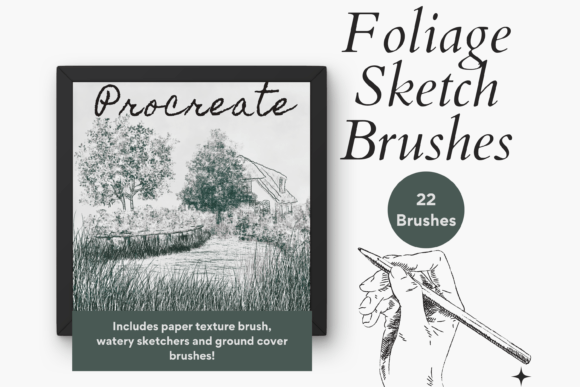
Creating lush, organic environments in digital art often requires a delicate balance between structure and chaos. For artists working within the Procreate ecosystem, finding tools that mimic the unpredictability of nature can be challenging. The Procreate Foliage Sketch Brushes X 22 pack addresses this need by offering a curated collection of twenty-two unique digital brushes designed specifically for sketch-style botanical illustrations. Whether you are drafting a quick concept for a video game level or creating a detailed floral composition for a client, these tools streamline the process of rendering shrubbery, ground cover, and intricate leaf patterns.
Unlike standard smooth markers found in default sets, these brushes are engineered to be buildable and textured. This means they respond dynamically to pressure and speed, allowing strokes to accumulate naturally. You can layer them to create depth without losing the hand-drawn aesthetic that defines sketch art. The versatility of this pack lies in its ability to mix and match different brush types, enabling creators to construct complex foliage scenes quickly while maintaining artistic control over every stroke.
Understanding the Brush Collection and Its Capabilities
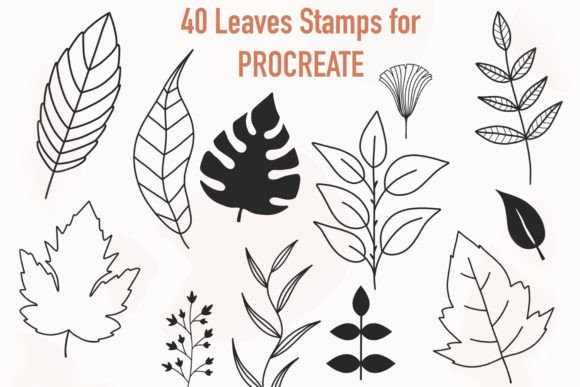
The core value of the Procreate Foliage Sketch Brushes X 22 lies in its specialized variety. Instead of relying on a single generic leaf shape, this set provides a comprehensive toolkit covering various aspects of plant life. It includes specific brushes for foliage, shrubbery, and floral elements, as well as dedicated tools for ground cover. This segmentation allows artists to tackle different parts of a scene with appropriate textures. For instance, a brush designed for dense shrubbery will behave differently than one intended for sparse ground cover, ensuring that your artwork looks cohesive and realistic.
A standout feature included in this pack is the specialized Paper brush. This tool is essential for achieving a realistic, tactile effect that mimics traditional media. To utilize it effectively, users should set up their canvas with a paper texture layer and adjust the blend mode to "Multiply." By creating a new layer on top and also setting it to "Multiply," artists can draw directly onto the texture, making the ink appear to sink into the grain of the paper. This technique adds an immediate sense of authenticity to digital sketches, bridging the gap between physical and digital workflows.
Customizing Your Workflow with Texture and Opacity
Digital art thrives on adaptability, and these brushes are no exception. The Procreate Foliage Sketch Brushes X 22 are fully resizable, giving you the freedom to scale from tiny individual leaves to massive canopy strokes. You can achieve this resizing using the built-in brush resize tool within Procreate's interface or by utilizing the move and resize gesture with two fingers. This flexibility ensures that the same brush can serve multiple purposes within a single piece, from detailing foreground flowers to blocking out background trees.
Furthermore, the intensity of the ink and the way colors blend can be fine-tuned to suit your specific style. By adjusting the opacity slider, you can control the strength of the ink charge, creating soft, airy washes or bold, saturated lines. Experimenting with different blend modes beyond just Multiply can further alter how these textured brushes interact with underlying layers. This level of control allows both beginners and professionals to push the boundaries of what a simple sketch pack can achieve, turning basic strokes into rich, atmospheric compositions.
Practical Applications for Creators and Professionals
Who benefits most from adding these tools to their library? The audience for Procreate Foliage Sketch Brushes X 22 is broad, ranging from hobbyists exploring nature journaling to professional illustrators working on commercial projects. For educators teaching digital art, these brushes provide an excellent resource for demonstrating how to build complex forms from simple shapes. Students can learn the principles of layering and texture application without getting bogged down in tedious manual detailing.
In a professional context, marketers and bloggers who create content about lifestyle, gardening, or travel can use these brushes to generate custom graphics that stand out from stock photography. A quick sketch of a garden path or a floral border created with these tools can add a personal touch to social media posts or blog headers. Entrepreneurs selling digital planners or journals can incorporate these foliage elements as decorative borders or background accents, enhancing the perceived value of their products.
Freelancers and small business owners often face tight deadlines. The ability to create quick and easy sketch-style foliage effects significantly speeds up the production pipeline. Instead of spending hours painting every leaf individually, an artist can block in the general form of a bush or tree in seconds and then refine the details where necessary. This efficiency supports a sustainable workflow, allowing creators to take on more projects without sacrificing quality.
System Requirements and Installation Essentials
Before integrating the Procreate Foliage Sketch Brushes X 22 into your creative process, it is crucial to understand the technical requirements. These files are digital assets designed exclusively for the Procreate App. They will not function on other software platforms like Photoshop, Clip Studio Paint, or desktop applications. To use them, you must have an iPad Pro (or compatible iPad model) with the Procreate App installed and an Apple Pencil for input. Without this specific hardware and software combination, the brushes cannot be utilized.
Installation involves downloading the brush file to a platform accessible by your iPad, such as iCloud Drive, Dropbox, or Google Drive. Once the file is saved to your device, you will need a program or method to unzip or extract the file if it is compressed, though many modern iPads handle .brushset files directly. After extraction, you simply tap the file to import it into Procreate. Ensuring you have a stable internet connection and sufficient storage space on your iPad is a practical step before beginning the download process.
Maximizing Your Creative Potential
The true power of this brush pack emerges when you move beyond the basics and start experimenting. Try combining the ground cover brushes with the floral sketch brushes to create meadow scenes, or layer the shrubbery tools over landscape photos to add depth and dimension. Because the brushes are textured, they react uniquely to different paper settings and canvas sizes. Don't be afraid to break the rules; sometimes the most interesting results come from using a large brush at low opacity or mixing unexpected color palettes.
As you become more familiar with the Procreate Foliage Sketch Brushes X 22, you will likely develop your own techniques for building density and light. Remember that digital art is non-destructive, so you can always undo a mistake or lower the opacity of a layer if a stroke feels too heavy. This safety net encourages experimentation, allowing you to explore new styles and find a visual voice that resonates with your audience.
Whether you are sketching for fun, building a portfolio, or fulfilling a client order, having the right tools makes all the difference. This collection offers a robust foundation for anyone looking to bring the natural world to life on their screen. By mastering these brushes, you gain the ability to render foliage with speed, texture, and character, elevating your digital art to new heights.