Unlocking Creativity: A Comprehensive Guide to Procreate Watercolor Stamps and Text Brushes
In the rapidly evolving landscape of digital art, tools that bridge the gap between traditional media textures and modern efficiency are highly sought after. Among these, Procreate watercolor stamp brushes and specialized text sets have emerged as essential assets for artists ranging from hobbyists to professional illustrators. These digital assets allow creators to add intricate details like tattoos, graffiti, or kawaii elements with a single tap, revolutionizing how we approach texture and typography in our illustrations.
Whether you are designing a cartoon character, sketching an anime scene, or creating a custom tattoo design on your iPad, understanding how to leverage these specific brush sets can elevate your workflow significantly. This guide explores the functionality, versatility, and practical application of these digital tools, ensuring you get the most out of your creative journey.
The Evolution of Digital Texture: Why Stamp Brushes Matter
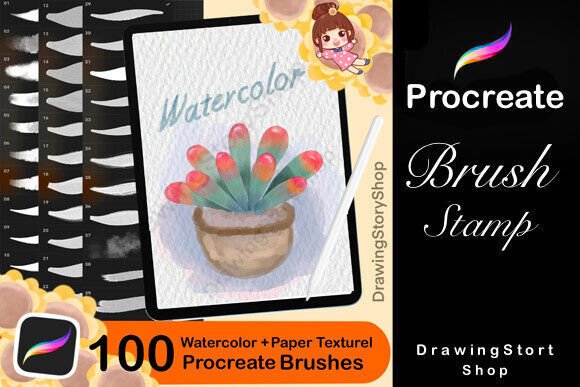
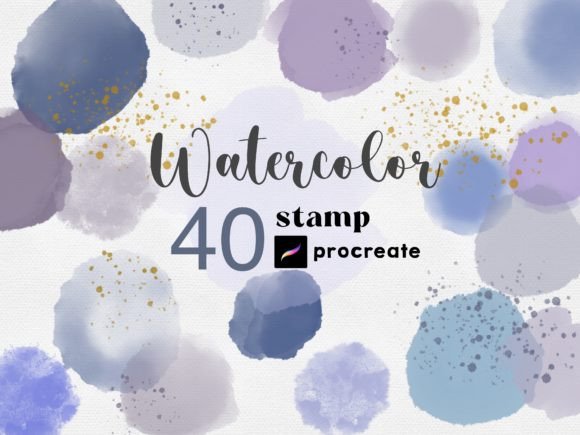
For years, digital artists struggled to replicate the organic, unpredictable nature of watercolor paint using standard software brushes. While modern engines like Procreate have made tremendous strides, sometimes the quickest way to achieve a specific look is through pre-rendered stamps. A watercolor stamp brush is essentially a high-resolution image of a watercolor wash, droplet, or texture embedded into a brush engine. When you tap the screen, it places that exact texture without requiring you to mix colors or wait for virtual "paint" to dry.
This technology is particularly significant for projects requiring consistency or speed. Imagine needing ten identical watercolor splashes across a page for a background pattern; painting them individually would be time-consuming. With a stamp set, you can place them instantly, resize them, and adjust their opacity to create depth. This efficiency allows artists to focus more on composition and storytelling rather than getting bogged down in repetitive technical tasks.
Bridging the Gap Between Traditional and Digital
The beauty of these brushes lies in their ability to mimic real-world materials while offering digital flexibility. Unlike physical watercolors, which can be ruined by a mistake, digital stamps are non-destructive. You can experiment with different colors, layering effects, and blending modes without fear of ruining your canvas. This makes them perfect for educational purposes, allowing students of art to study color theory and texture interaction in a risk-free environment.
Furthermore, these tools fit seamlessly into modern workflows. Whether you are working on a freelance project for a client who needs a quick turnaround, or simply doodling during a commute, the instant application of complex textures saves valuable time. It democratizes high-quality illustration, enabling beginners to produce professional-looking results with less technical overhead.
Versatility in Application: From Tattoos to Kawaii Art
One of the most compelling features of a comprehensive set of Procreate stamp brushes is its adaptability across various genres. The inclusion of text-based stamps, specifically designed for writing texts and tattoos, opens up a new realm of possibilities for lettering artists and graphic designers.
- Tattoo Design: Creating realistic tattoo mockups often requires specific fonts and shading styles. These brushes allow artists to overlay script, gothic, or tribal text onto skin tones with realistic opacity settings, making the design appear as if it were inked directly onto the surface.
- Graffiti and Street Art: Graffiti relies heavily on bold lines and distinct letterforms. Text stamps provide a library of pre-made bubble letters, wildstyle elements, and tags that can be mixed and matched to create dynamic compositions quickly.
- Cartoon and Anime Illustration: In character design, adding speech bubbles, sound effects (like "pow!" or "zoom!"), or decorative borders is common. These brushes offer a stylistic consistency that matches the aesthetic of anime and manga, enhancing the visual appeal of the artwork.
- Kawaii and Cute Aesthetics: For those who enjoy the "kawaii" style, featuring soft pastels and cute motifs, these sets often include heart shapes, stars, and rounded text styles that perfectly complement the genre's whimsical nature.
The ability to mix and match these elements is where true creativity shines. An artist might combine a watercolor background stamp with a bold graffiti text stamp to create a unique poster design. Or, they might layer a subtle tattoo script over a character's arm in an anime drawing to give the character a backstory. The only limit is the artist's imagination.
Mastering Customization: Color, Opacity, and Size
A common misconception about stamp brushes is that they are static images that cannot be altered. In reality, within the Procreate ecosystem, these brushes are incredibly flexible. Once imported, you can manipulate them just like any other brush stroke.
Color and Opacity Control
You can use these stamps in any color. Simply select your desired hue from the color palette, and the next tap will render the stamp in that shade. This is crucial for maintaining color harmony in your artwork. Additionally, adjusting the opacity allows for subtle layering. For instance, setting a watercolor stamp to 20% opacity can create a faint background wash, while 100% opacity delivers a bold, saturated statement.
Resizing for Perfect Fit
Another powerful feature is the ability to resize the stamp before applying it. Using the two-finger pinch gesture on the iPad screen, you can scale the stamp up to cover a large area or shrink it down to add minute details. This ensures that the texture fits perfectly within your composition, whether you need a massive splash of color or a tiny dot of ink.
These customization options make the brushes suitable for both broad strokes and fine details. They integrate naturally into the digital painting process, behaving almost like a hybrid between a vector asset and a raster brush.
How to Acquire and Install Your Digital Assets
Understanding the logistics of obtaining and using these tools is just as important as knowing how to use them. Most high-quality brush sets are available as digital downloads, meaning you receive the files instantly upon purchase.
- Instant Delivery: After completing your order and payment, the files are delivered electronically within minutes. There is no waiting for shipping; the process is immediate.
- Email Notification: You will receive an email at the address associated with your account containing a secure link to download your files.
- Compatibility: It is important to note that these brushes are designed to ONLY WORK WITH PROCREATE. They are optimized for the iPad and may not function correctly in other applications like Photoshop or Clip Studio Paint.
- Importing: Once downloaded, you typically import the .brushset file directly into the Procreate app via the share sheet or the Files app. The process is user-friendly and usually takes less than a minute.
Important Considerations for Buyers
Because these are digital items, there are specific terms you should be aware of. First, this is a purely digital product; you will not receive anything in the mail. Second, due to the nature of digital goods, returns and refunds are generally not possible once the download link has been accessed. This policy protects the intellectual property of the creator.
Additionally, keep in mind that color representation can vary from monitor to monitor. What looks like a deep crimson on one screen might appear slightly orange on another. Artists are encouraged to calibrate their screens or test the brushes on a small scale before committing to a large piece of work.
Support and Troubleshooting
Even with straightforward instructions, technical issues can arise. Perhaps you are having trouble downloading the file, or you are unsure how to import the brushes into your Procreate gallery. Do not worry; support is readily available.
If you encounter any problems, the creators of these brush sets are committed to helping you resolve them. You can contact them directly to request a new download link or to receive guidance via email. Whether it is a question about installation or a query about how to best utilize the brushes for a specific project, reaching out is encouraged. The goal is to ensure every user can successfully integrate these tools into their creative workflow.
Conclusion: Empowering Your Creative Vision
The integration of Procreate watercolor stamp brushes and text sets represents a significant step forward in digital illustration. By combining the organic feel of traditional media with the precision and speed of digital tools, artists can explore new styles and techniques with confidence. From the intricate details of tattoo designs to the playful charm of kawaii cartoons, these brushes provide the foundation for diverse and engaging artwork.
As you embark on your next project, remember that these tools are meant to enhance your creativity, not replace it. Experiment with colors, play with opacity, and don't be afraid to mix different styles together. With instant access and robust support, the barrier to entry is lower than ever, inviting everyone to become a master of their own digital canvas.